Shop Floor - Barcode Input (Scan Lot No.)
Summary
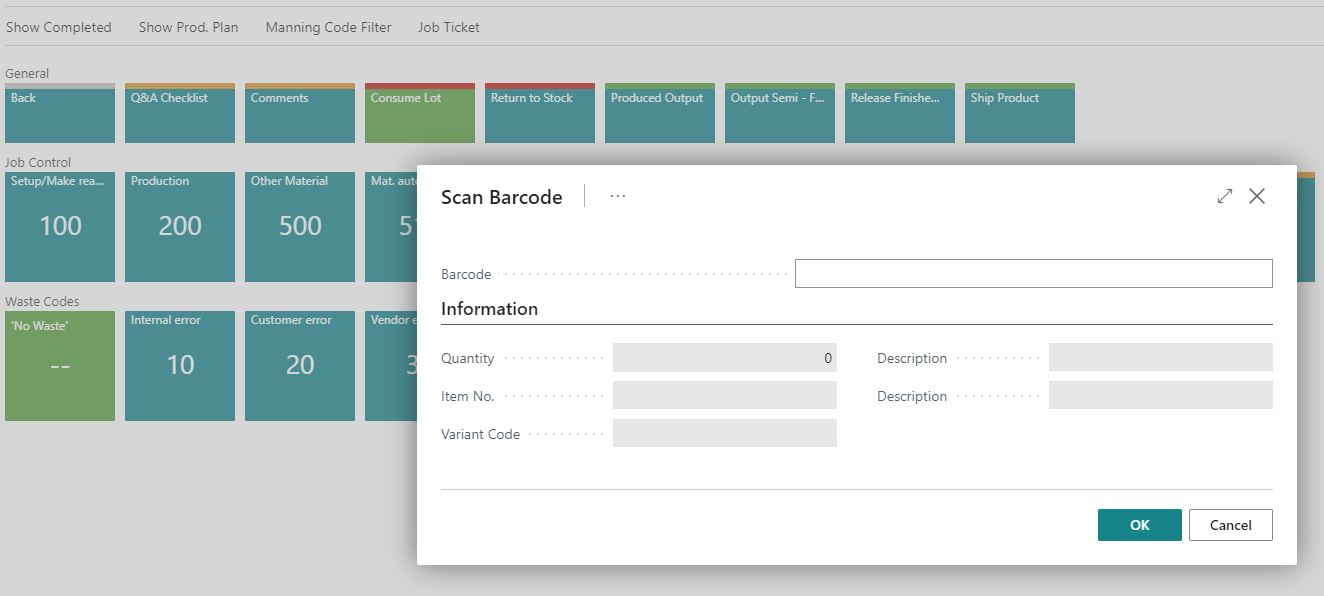
In the Shop Floor - Consume Lot page, there is a field called "Barcode".
The Consume Materials window is designed for use with a barcode scanner, as lot numbers are typically impractical for manual user entry.
This functionality is intended only for consumption of Lot Number controlled materials – so usually not applicable to standard sheet or web printer companies.
Setup
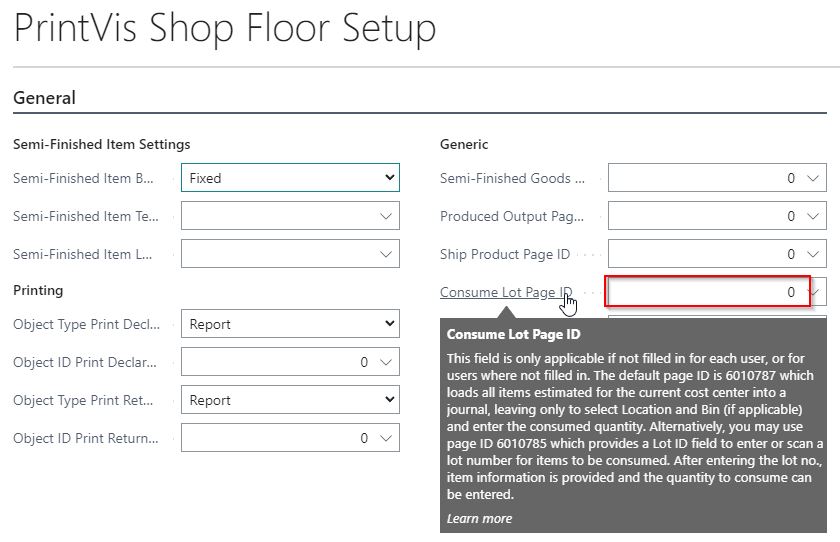
From PrintVis Shop Floor Setup, you can specify which page to use for “Shop Floor Consume Materials”.
Update the settings accordingly:
- PrintVis Shop Floor Setup
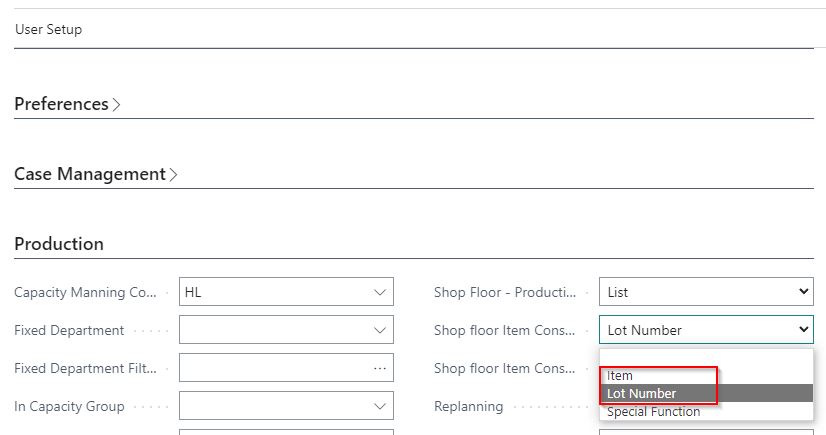
This can also be configured per user in the PrintVis User List Setup:
- PrintVis User Setup
In a company using both Lot and non-Lot raw materials:
-
Users will consume Lot materials through page 6010785.
-
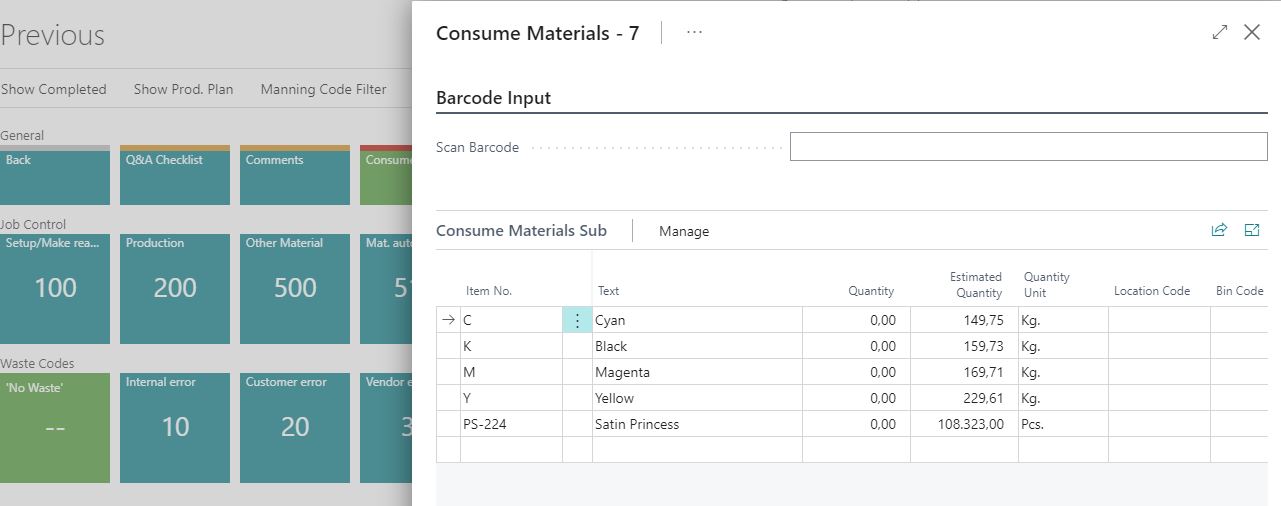
Non-Lot materials are consumed through page 6010787, which allows:
-
Manual entry of raw materials by item number
-
Automatic population of raw materials planned for the job
Page References
- Page 6010785 – Lot Number
- Page 6010787 – Item
Further Explanation
Please refer to the Shop Floor document for more detailed setup guidance.