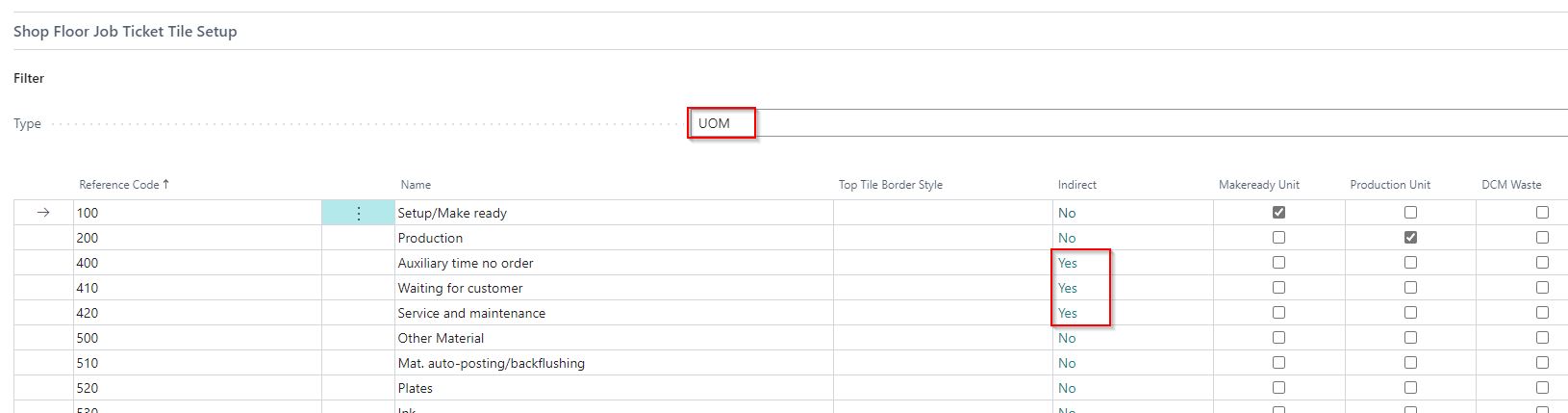
Record Indirect Time on Job Ticket
Summary
This article shows how to set up and record indirect time at the PrintVis Shop Floor.
Indirect time refers to time that is not specific to a job, such as *“meeting time”* or *“service and maintenance.”*
Setup
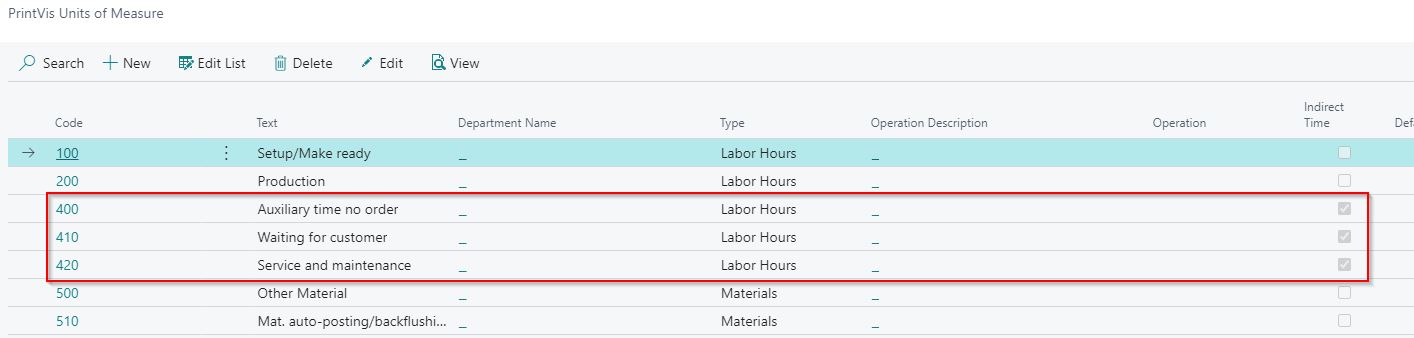
PrintVis Units of Measure
- You create units of measure, setting them to *Indirect*, for the administrative activities.
-
These units are added as new lines on the Job Costing Journal template for the Cost Center.
-
Remember to add both the Cost Center and the Configuration Code.
-
If the hourly rates should differ for admin/indirect activities, consider creating an operation line with a special hourly rate and reference this operation number accordingly.
Cost Center
- Shop Floor setup is done at the Cost Center setup.